Python is one of the most popular programming languages today. This section introduces Python’s features, programming environment, and several ways to program in Python.
Features of Python
Python was born in the 1990s as free open-source software, widely used in system administration and network programming. Currently, Python is increasingly used as a scripting language in mainstream industry software, earning the nickname "glue language." Due to its simplicity, readability, and extensibility, Python is widely applied in scientific computing, especially in AI fields like machine learning, deep learning, and computer vision.
Python is an interpreted language, compiling and executing line by line. Its main features include:
Simple and efficient: As a high-level language, Python hides many abstract concepts and low-level details, making it easy to learn. Although its runtime efficiency is lower than C/C++, it greatly improves development efficiency.
Rich built-in and third-party packages: Python has many built-in and third-party packages, each providing functions in specific industries or domains. Users can leverage these to focus on their core tasks.
Extensible: Python can be extended with C/C++ modules.
Portable: Python supports cross-platform deployment.
Object-oriented: Python supports OOP, improving efficiency through abstraction, encapsulation, and reuse.
Download and Install Python
Before programming in Python, download and install Python. Visit the Python official website, go to Downloads → Windows to access the Windows download page.
Choose the version matching your OS (32-bit or 64-bit). Double-click the downloaded Python executable file (e.g., Python 3.10) and follow the prompts. Ensure Add Python 3.10 to PATH is checked.
Python Programming Environment
After installation, open IDLE (Python’s official IDE) from the Start menu. The Python 3.10 Shell window (Figure 1-5) allows line-by-line command input (command-line mode). To write scripts, select File → New File to open the script editor (Figure 1-6), save as a .py file, and run via Run → Run Module.
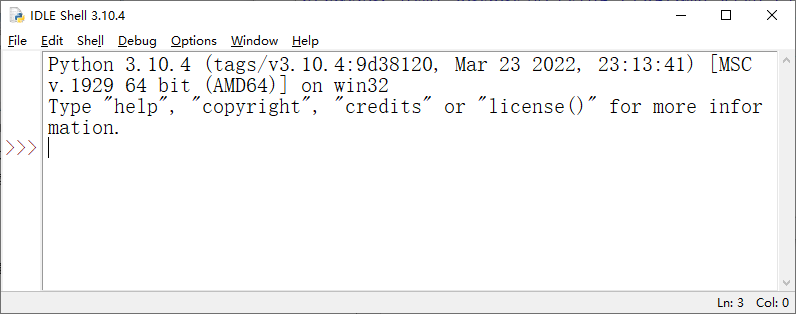
Figure 1-5
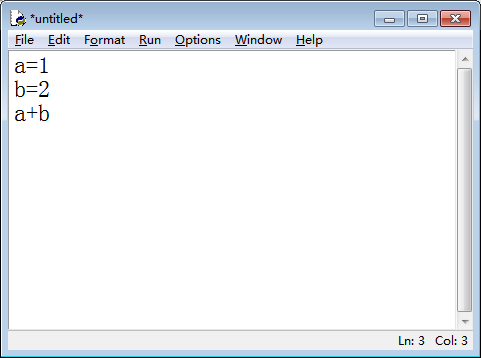
Figure 1-6
Writing Python Programs
Python supports command-line mode, script files, and function files. Examples are as follows:
1. Command-Line Mode
Demonstrate addition and accumulation:
>>> a = 1
>>> b = 2
>>> a + b  # Output: 3(sum of a and b)
Accumulate integers from 0 to 4 using a for loop:
>>> s = 0
>>> for i in range(5):  # Loop through 0~4
... s += i           # Accumulate 0~4
...
>>> s  # Output: 10(sum of 0~4)
Note: The loop body under the for statement must be indented by 4 spaces.
2. Script File
Write addition and accumulation in a script (sample path: Samples\ch01\Python\sam01-01.py):
# Addition
a = 1
b = 2
print(a + b)  # Output the sum of a and b
# Accumulation
s = 0
for i in range(5):  # Accumulate 0~4
    s += i
print(s)
Run the script to output 3 and 10.
3. Function File
Rewrite the script using functions (sample path: Samples\ch01\Python\sam01-02.py):
# Define MySum for addition
def MySum(a, b):
    return a + b
# Define MySum2 for accumulation
def MySum2(c):
    s = 0
    for i in range(c + 1):
        s += i
    return s
# Call functions
print(MySum(1, 2))   # Output: 3
print(MySum(3, 5))   # Output: 8
print(MySum(8, 12))  # Output: 20
print(MySum2(4))    # Output: 10
print(MySum2(10))   # Output: 55
Run the script to output 3, 8, 20, 10, and 55.