Text is a common data type. This section covers splitting, searching/replacing, and creating dummy variables. Regular expressions are discussed separately in Section 5.4.
Splitting Data
Split "Product Name and Specification" (column A) into "Length" and "Width" (Figure 5-19). In cell C1, input:
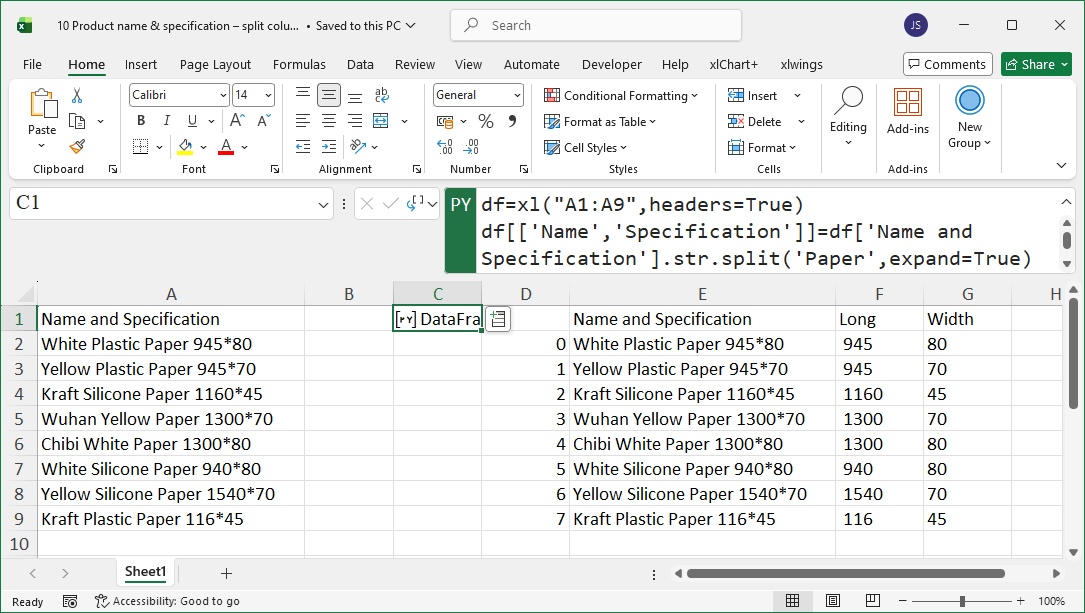
Figure 5-19
code.python
df = xl("A1:A9", headers=True)
df[['Product Name', 'Specification']] = df['Product Name and Specification'].str.split('Paper', expand=True)  # Split into product name and specification
df[['Length', 'Width']] = df['Specification'].str.split('*', expand=True)  # Split specification into length and width
df = df.drop(['Product Name', 'Specification'], axis=1)  # Drop intermediate columns
Searching and Replacing
Standardize units in "Purchase Details" (column B) to "kilogram" (Figure 5-20). In cell A6, input:
code.python
df = xl("A1:B4", headers=True)
df['Purchase Details'] = df['Purchase Details'].str.replace('kg', 'kilogram').str.replace('公斤', 'kilogram')  # Replace "kg" and "公斤" with "kilogram"
df
Dummy Variables
Create dummy variables for product names (Figure 5-21). In cell F1, input:
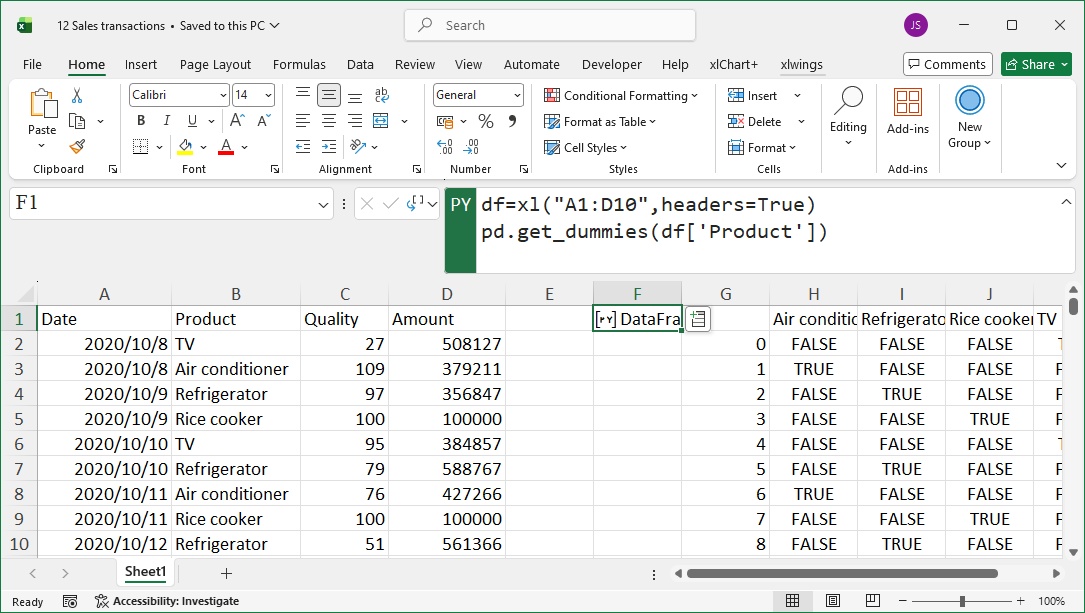
Figure 5-21
code.python
df = xl("A1:D10", headers=True)
pd.get_dummies(df['Product'])  # Generate dummy variables(1 if product is sold, 0 otherwise)